
CapCut vs VN Video Editor: Which Free Editor Is Better in 2026?
If you edit videos on your phone, you have probably asked the same question thousands of creators ask: CapCut vs VN — which is better? Both are free and both export up to 4K at 60fps, but they are built for different creators. Picking the wrong one can cost you time, patience, and sometimes video quality.
In this guide, we compare CapCut and VN Video Editor side by side: free features, watermarks, templates, auto captions, advanced tools, and export options. No hype — just the honest differences between the official versions so you can pick the free editor that fits your style in 2026.

Ease of Use: Which App Is Simpler for Beginners?
CapCut is the most beginner-friendly mobile editor. Its icon-based timeline and one-tap effects get you from zero to a finished TikTok in minutes. If you have never edited a video before, CapCut is the fastest starting point.
VN Video Editor uses a more traditional multi-track timeline, closer to desktop editors. It is approachable but takes longer to feel natural. The trade-off is control: VN stacks video layers, audio tracks, and effects with precision.
Verdict: CapCut wins for total beginners. VN takes longer to learn but gives you a professional workflow.
Pricing and Free Features
Both apps are genuinely free to download and use.
CapCut’s free plan and CapCut Pro
CapCut’s free tier covers most core tools, effects, filters, and speed controls. CapCut Pro costs around $7.99/month (about $74.99/year), adding cloud storage, exclusive AI effects, and premium templates. More advanced effects have been moving behind the Pro paywall over time.
VN’s free plan and VN Pro
VN’s free version is famously complete: keyframes, chroma key, speed curves, and full multi-track editing are unlocked from the start. VN Pro costs around $9.99/month and adds extras like advanced fonts. For most users, the free version is more than enough.
Templates, Effects, and AI Tools
This is where the two apps diverge the most, and the biggest reason people choose one over the other.
CapCut: the king of templates
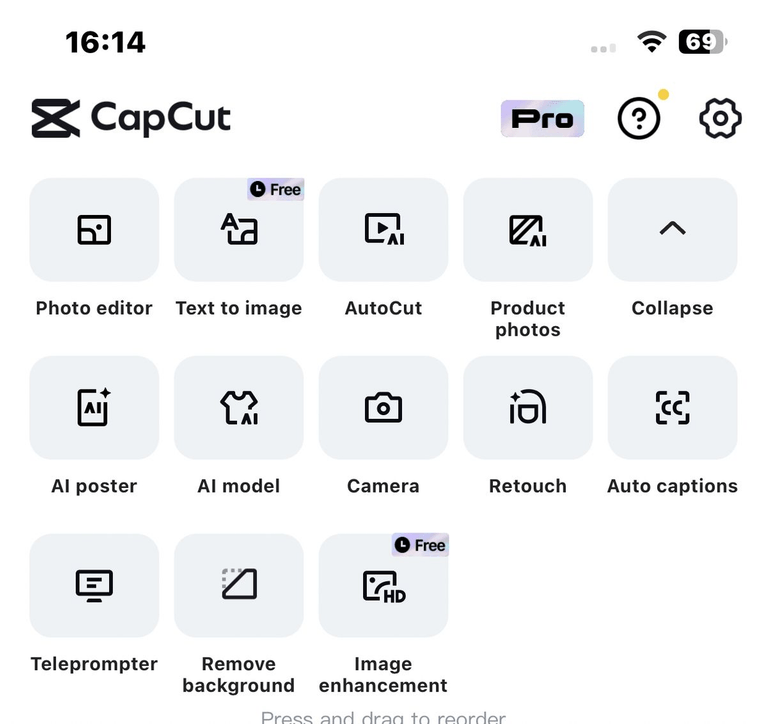
CapCut has a massive, trend-driven template library. See a viral transition on TikTok? There is usually a CapCut template for it within days. CapCut also ships AI features VN does not have: one-tap auto captions that are remarkably accurate, AI background removal, and smart cutout. Its music library is huge and linked with trending TikTok sounds, plus beat detection and auto-sync.
VN: focused on manual precision
VN has a smaller, more generic template library and minimal AI automation — no auto captions, so you add subtitles manually. But VN gives you something CapCut does not: advanced keyframe control over most effects, highly adjustable speed curves, and custom LUT support for cinematic color grading. Its royalty-free music library is solid, though not as trend-linked as CapCut’s.
Watermarks and Ads
VN exports with no watermark on the free version and is completely ad-free — even while editing offline. CapCut also exports watermark-free in most cases, but you may need to manually delete the auto-added ending clip, and template exports sometimes carry a watermark. CapCut can work offline, but many features need an internet connection, and the free version increasingly shows upgrade prompts.
Export Quality and Performance
Both apps export up to 4K at 60fps for free. VN adds manual bitrate control for sharper exports and runs smoothly on mid-range phones. CapCut’s exports are excellent for social media, though it may compress slightly when optimizing for platforms. VN works fully offline; CapCut’s best features need you online. For sharper CapCut exports, see our guide on exporting CapCut videos without losing quality.
CapCut vs VN: Side-by-Side Comparison
| Feature | CapCut | VN Video Editor |
|---|---|---|
| Price | Free; Pro ~$7.99/month | Free; Pro ~$9.99/month |
| Watermark (free) | None mostly (remove ending clip) | None, always clean |
| Ease of use | Very beginner-friendly | Moderate learning curve |
| Templates | Massive, trend-driven | Smaller, generic |
| Auto captions | Yes, highly accurate | No (manual only) |
| AI features | Background remover, AI captions | Minimal |
| Keyframes | Easy, basic controls | Advanced, most effects |
| Multi-track timeline | Limited layering | Full multi-track |
| Color grading | Filters + adjustments | Filters + custom LUTs |
| Speed curves | Presets + custom | Presets + advanced |
| Chroma key | Yes, plus smart cutout | Yes |
| Music library | Huge, TikTok sounds | Good royalty-free picks |
| Export quality | Up to 4K 60fps | Up to 4K 60fps + bitrate control |
| Ads / offline | Some upgrade prompts | No ads, fully offline |
| Platforms | Android, iOS, PC, Web | Android, iOS, desktop |
| Best for | TikTok, Reels, Shorts | YouTube, cinematic edits |
The Verdict: Which Free Editor Should You Choose?
There is no single winner — here is the simple rule of thumb:
Choose CapCut if…
You post short-form content on TikTok, Instagram Reels, or YouTube Shorts: trending templates, one-tap auto captions, AI effects, and the fastest path from idea to upload. Still choosing your setup? Our CapCut desktop vs mobile comparison can help.
Choose VN if…
You want maximum control without paying: full multi-track editing, advanced keyframes, custom LUTs, bitrate-controlled 4K exports, zero watermarks, and zero ads. VN suits YouTube videos, cinematic edits, and fully offline workflows.
Frequently Asked Questions
Is VN Video Editor really free?
Yes. Most features are unlocked from the first launch, and exports carry no watermark. An optional VN Pro subscription adds extras like advanced fonts, but the free version is enough for most users.
Does CapCut add a watermark to exported videos?
In most cases, no. CapCut’s free version exports without a watermark, but you may need to manually delete the auto-added ending clip. Some template exports can carry a watermark unless you remove it.
Which editor is better for TikTok and Reels?
CapCut. Its trending templates, auto captions, beat sync, and TikTok sound integration make it the fastest tool for short-form content in 2026.
Does VN have auto captions like CapCut?
No. CapCut has highly accurate one-tap auto captions; VN requires manual subtitles. If captions matter, CapCut is the clear choice.
Can both editors export 4K 60fps videos?
Yes. Both CapCut and VN export up to 4K at 60fps on their free plans. VN also offers manual bitrate control, while CapCut focuses on fast, social-media-optimized exports.
Final Thoughts
CapCut is the fastest way to make scroll-stopping short videos, with templates, auto captions, and AI tools doing the heavy lifting. VN is the quiet powerhouse: genuinely free, watermark-free, and ad-free, with pro-level keyframes and color grading.
Both are free, so try both for a week and see which workflow clicks. Most creators keep both — CapCut for quick social posts, VN for polished edits. Either way, you get one of the best free video editors of 2026.