Video editing has become an essential part of creating content for social media, YouTube, TikTok, Instagram Reels, and many other online platforms. Whether you are a beginner making videos for fun or a content creator producing videos for a business, choosing the right editing application can make a significant difference in your results.
One application that has attracted considerable attention is CapCut. It offers a collection of editing tools that allow users to trim clips, add music, insert captions, apply filters, create transitions, and produce engaging videos without needing advanced editing skills.
However, when searching for CapCut online, you may come across two terms that can be confusing: CapCut APK and CapCut Pro. Some websites discuss them as if they are competing versions of the same application, while others advertise APK downloads that claim to unlock premium features for free.
So, what is the actual difference between CapCut APK and CapCut Pro? Are they the same application? Does downloading an APK give you access to Pro features? And which option is better for your video editing needs?
In this guide, we will explain the differences between CapCut APK and CapCut Pro, how each term works, the features you may receive, and the security risks you should understand before downloading either version.
What Is CapCut APK?
CapCut APK is a term commonly used to describe the Android installation package for CapCut.
APK stands for Android Package Kit. It is the file format Android uses to package applications for installation on compatible devices.
When you download an application from the Google Play Store, the installation process is usually handled automatically. You do not normally need to locate or open an installation file yourself.
However, when an Android application is distributed as an APK, users may be able to download the file and install it manually, provided it is compatible with their device and the source is trustworthy.
CapCut is a video editing application developed by ByteDance. Its Android version provides tools for editing videos, adding audio, inserting text, applying effects, and preparing content for social media platforms.
The important thing to understand is that APK describes an installation file format, not a premium subscription or a special set of editing features.
An official CapCut APK may provide the standard Android application, with features depending on the version, account, region, and subscription status.
Some third-party websites also distribute files under names such as CapCut APK Premium or CapCut MOD APK. These labels may refer to modified applications that claim to unlock paid features or remove restrictions. Such claims do not guarantee that the files are genuine, safe, or functional.
For most users, downloading CapCut through an official distribution channel is the safer choice.
What Is CapCut Pro?
CapCut Pro is the paid subscription offering associated with CapCut. It is intended for users who want access to additional editing features, premium resources, or other benefits included in the subscription available to their account.
While the standard CapCut application provides a range of useful editing tools, some advanced features and creative resources may be restricted to paid users.
Depending on the current offering in your region, CapCut Pro may provide access to certain premium effects, filters, templates, advanced editing tools, AI-assisted features, or additional cloud-related benefits.
The exact features can change over time, and not every feature is necessarily included in every plan or available on every device.
For example, imagine that you use CapCut to create promotional videos for your business. The standard tools may be enough to trim footage, add text, and include background music. However, you might want access to a particular premium effect or another feature that requires a subscription.
If that feature is included in CapCut Pro and available to your account, upgrading may allow you to use it.
CapCut Pro is therefore not simply another name for an APK file. It refers to a paid offering, while APK describes how an Android application is packaged for installation.
What Is the Difference Between CapCut APK and CapCut Pro?
The biggest difference is that CapCut APK refers to an Android installation package, whereas CapCut Pro refers to a paid subscription offering.
These terms describe different things, so they are not direct alternatives.
You can think of it this way: an APK is a way to install an Android application, while Pro describes the paid features or benefits that may be available after you access the appropriate subscription.
Here are the main differences.
1. Meaning and Purpose
CapCut APK refers to the Android application package. Its purpose is to provide the files needed to install CapCut on a compatible Android device.
CapCut Pro refers to a paid offering that provides access to eligible premium features and resources.
This means you could install an official CapCut APK and still use the standard version without a Pro subscription.
Similarly, having CapCut Pro does not mean you must download an APK manually. You can usually install the official application through a supported app store and access eligible subscription features through your account.
2. Installation Method
CapCut APK may be installed manually if you obtain a legitimate, compatible APK file from a trusted source. Manual installation can involve reviewing Android security prompts and allowing installation from a particular source.
However, CapCut can also be installed through official app distribution channels, where available. In that situation, the installation process is generally simpler.
CapCut Pro usually does not require a separate Android application. Eligible users can access its paid features through the supported CapCut application after obtaining the relevant subscription.
The exact process for purchasing or activating a subscription depends on the platform and the options available in your region.
3. Cost
An official CapCut APK is an installation file, not a subscription. Downloading the standard application may be free, although some features may require payment.
CapCut Pro is a paid offering. Its price and subscription options can vary by region, platform, and current pricing arrangements.
You should check the official pricing information available to your account before subscribing.
Be careful when a third-party website advertises a so-called premium APK that supposedly gives you every paid feature for free. Such a file is not the same as an official subscription, and the advertised benefits may be misleading.
4. Features and Editing Tools
The features available in CapCut depend on the application version and your account’s access.
The standard application can provide useful editing tools such as:
- Video trimming and splitting.
- Combining multiple clips.
- Adding text and captions.
- Adjusting audio and adding music.
- Applying selected filters and transitions.
- Changing video speed.
- Exporting finished videos using supported settings.
CapCut Pro may provide additional access to certain premium tools, effects, templates, AI features, or other subscription benefits.
However, it is important not to assume that every premium feature is available in every region or subscription plan.
The main point is that downloading an APK does not automatically unlock CapCut Pro. Your access to paid features depends on the applicable subscription and eligibility requirements.
5. Updates and Support
When you install CapCut through an official app store or another supported distribution channel, updates can generally be obtained through that same channel.
Updates may introduce new editing tools, improve stability, fix bugs, and address security issues.
With manually installed APKs, updates may require additional steps, depending on the source and installation method.
Modified APKs can be particularly problematic because they may not update correctly, may stop working after an application change, or may be incompatible with official releases.
CapCut Pro users still need to keep the application updated. A paid subscription does not eliminate the need for compatible software or guarantee that every feature will work on every device.
6. Safety and Reliability
An APK is not automatically unsafe. Official APK files can be legitimate installation packages.
The risk comes from downloading files from unverified sources, particularly when they have been modified or repackaged by unknown parties.
A modified application that claims to unlock CapCut Pro may contain malicious code, collect information improperly, display unwanted advertisements, or compromise your account.
The official CapCut application obtained from a trusted distribution channel is generally a safer option than an unofficial modified version.
CapCut Pro itself is not a separate security guarantee. Users should still download the application from a legitimate source, protect their accounts, and review the privacy practices associated with the services they use.
Does CapCut APK Include Pro Features?
This is one of the most common questions people ask when comparing CapCut APK and CapCut Pro.
The answer depends on what the person means by CapCut APK.
If you mean the official Android installation package, downloading it does not automatically provide a Pro subscription.
The application may offer free tools, while certain premium resources and features remain restricted to eligible paid users.
If you mean a modified APK advertised as CapCut Pro or CapCut Premium, the situation is different. Some third-party distributors claim that their files unlock premium features without payment.
However, those claims should be treated cautiously.
A modified application may not provide the promised functionality, and it can introduce security risks or compatibility problems. It may also violate the application’s terms.
The safest approach is to use the official CapCut application and subscribe through an authorized channel if you need particular Pro features.
This gives you a more reliable way to access the benefits included in the subscription without depending on an unknown modification.
Which Features Might Be Available With CapCut Pro?
CapCut Pro’s exact benefits can change, but paid access may include selected premium resources and advanced editing capabilities.
Here are some examples of feature categories that may be included, depending on the current offering.
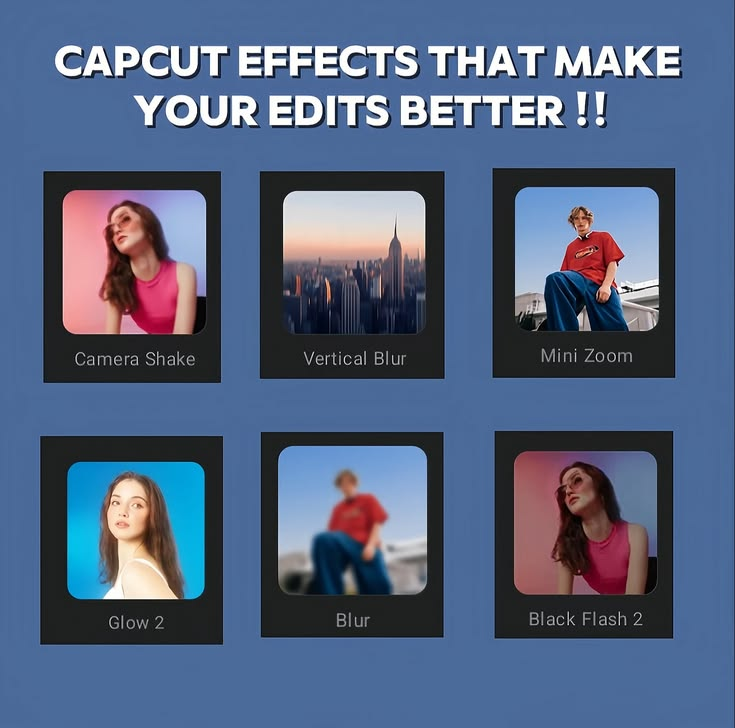
Premium Effects and Filters
Effects and filters can change the appearance of a video, helping you create a particular mood or visual style.
Some resources may be available to all users, while others may require Pro access.
For example, a content creator producing a product advertisement might want a particular visual effect to make the footage more appealing. If that resource is marked as premium, a subscription may be required to use it.
Advanced Templates and Creative Resources
Templates can help users create videos without building every element from scratch.
Some templates and creative resources may be free, while others may be available only to eligible paid users.
The availability of these resources can vary, so check the label and subscription requirements shown inside the application.
AI-Assisted Features
CapCut offers various AI-assisted tools, and some advanced features may have eligibility requirements, usage limits, or paid access restrictions.
Depending on the current version, these tools may help with tasks such as caption generation, background removal, or other editing processes.
AI features can save time, but they are not always perfect. You should review their output carefully before publishing a video.
Additional Editing Resources
Certain subscription plans may include access to additional creative resources or other benefits.
However, the precise package can change. Rather than assuming every Pro plan includes the same features, review the official subscription information displayed in your application.
Can You Use CapCut Without CapCut Pro?
Yes. You can use the standard CapCut application without subscribing to CapCut Pro, provided the application is available and compatible with your device.
Many users can create useful videos with basic editing tools alone.
For example, you can create a short educational video by combining clips, adding readable text, adjusting the sound, and exporting the finished project. You do not necessarily need premium effects to produce something informative and engaging.
A small business can also make simple promotional videos using suitable footage, clear messaging, and basic transitions.
If you are a beginner, starting with the free tools can help you understand video editing before deciding whether a paid subscription is worthwhile.
The most important factors are often the quality of your footage, the clarity of your message, and how well you arrange the scenes.
Is CapCut Pro Worth Paying For?
Whether CapCut Pro is worth the cost depends on how frequently you edit videos and which features you actually need.
For someone who edits videos occasionally, the standard application may be sufficient.
For a creator who produces videos every day, however, access to particular premium resources or advanced tools may help save time and improve workflow.
Before paying for CapCut Pro, consider the following questions.
How often do you edit videos?
If you only make a few videos each month, you may not need a subscription. If you produce content regularly, additional tools may provide more value.
Do you need specific premium features?
Identify the features you want and confirm that they are included in the subscription available to you. Do not pay simply because an application offers many tools.
Will the subscription save you time?
If a particular feature helps you complete editing tasks more quickly, it may be worth considering the cost.
Can you afford the subscription comfortably?
Review the price, renewal terms, and cancellation process before subscribing. Make sure you understand whether the payment recurs automatically.
Ultimately, CapCut Pro is most useful when its paid features solve a real problem in your editing workflow.
How to Get CapCut Pro Safely
If you decide that you need premium features, follow a legitimate subscription process.
Step 1: Install the Official CapCut Application
Download CapCut through the official website or a recognized app store where it is available.
Verify the developer and make sure you are not installing a modified application from an unknown source.
Step 2: Open CapCut
Launch the application and complete any required setup.
Depending on your region and the features you want to use, you may need to sign in to an account.
Step 3: Find the Pro Subscription Options
Look for the Pro upgrade option or subscription information inside the application.
Review the listed benefits and confirm which features are included.
Step 4: Check the Price and Terms
Before paying, review the price displayed for your region, the billing period, renewal conditions, and cancellation terms.
Make sure you understand what you will be charged and when future payments may occur.
Step 5: Complete the Purchase Through an Authorized Channel
Follow the official purchasing process available on your device or account.
After the subscription is activated, check whether the eligible features are available in the application.
If you have paid but cannot access a feature, verify that you are using the correct account and that the feature is included in your subscription. You can also consult CapCut’s official support resources.
What Is CapCut MOD APK, and How Is It Different?
While researching CapCut APK and CapCut Pro, you may encounter another term: CapCut MOD APK.
A MOD APK is generally a modified version of an Android application that has been altered by a third party.
Websites offering modified CapCut files may claim that they provide unlocked premium effects, remove restrictions, or make paid features available without a subscription.
However, these files are not equivalent to an official CapCut Pro subscription.
Because a third party has altered the application, you may not know exactly what changes have been made or whether the file contains unwanted code.
Potential risks include:
- Malware or other harmful software.
- Unauthorized collection of personal information.
- Application crashes and compatibility issues.
- Problems receiving updates.
- Account security concerns.
- Features that do not work as advertised.
There is also no guarantee that a modified version will continue working after the official application changes.
If you want premium features, using the official subscription process is generally the more dependable choice.
Can You Use CapCut Pro on Android and PC?
CapCut offers applications and services for supported platforms, which may include Android, Windows, macOS, and web-based editing options.
However, the availability of specific features can differ across platforms.
For example, a feature that appears in one version may not be available in another, or it may have different requirements.
CapCut Pro access may also depend on your account, subscription arrangement, region, and the platform through which you purchased it.
If you plan to edit videos on both a phone and a computer, check the current account and subscription information to understand which benefits are available on each device.
Do not assume that every project automatically synchronizes between devices. Check the available cloud or project synchronization options and keep backups of important files.
Common Problems With CapCut APK and CapCut Pro
Users sometimes encounter problems after installing CapCut or purchasing a subscription. Understanding the possible causes can help you find a solution.
CapCut Pro Features Are Still Locked
If you have a subscription but cannot access a premium feature, first check that you are signed in to the correct account.
Confirm that your subscription is active and that the particular feature is included in the plan.
You may also need to update the application through an official channel.
If the issue continues, consult official CapCut support rather than downloading a modified APK to unlock the feature.
CapCut APK Will Not Install
An APK may fail to install because the file is corrupted, the device is incompatible, storage is insufficient, or an existing installation causes a conflict.
Verify the source, check your available storage, and review the application’s compatibility requirements.
If you cannot verify that the file is legitimate, do not continue installing it.
Premium Effects Are Missing
Some effects and resources may be removed, renamed, restricted by region, or made available under different subscription conditions.
Check the application’s current feature information and subscription details.
An online tutorial may also show an older version of CapCut, so the interface and available tools may not match what you see on your device.
CapCut Runs Slowly
Video editing can use significant processing power and memory, especially when working with high-resolution footage and complex effects.
Try closing unnecessary applications, freeing up storage, and restarting your device.
If you are using an older phone or laptop, you may need to simplify your project or use less demanding editing settings.
Frequently Asked Questions
Is CapCut APK the same as CapCut Pro?
No. CapCut APK refers to the Android installation package, while CapCut Pro refers to a paid subscription offering. Installing an official APK does not automatically unlock Pro features.
Is CapCut APK free?
The standard CapCut application may be available to download without an upfront charge, depending on regional availability. Some features and resources may require a paid subscription.
Can I get CapCut Pro for free using an APK?
An official APK does not automatically provide a Pro subscription. Files advertised as unlocked or premium MOD APKs are modified versions, and their claims may be unreliable. They can also expose your device and personal information to security risks.
Is CapCut Pro better than the free version?
CapCut Pro may be better for users who need particular premium features or resources. However, the standard application can be sufficient for basic editing and many everyday video projects.
Does CapCut Pro work on a PC?
CapCut provides desktop software for supported computers, and paid features may be available depending on the current platform and subscription arrangements. Check the official requirements and subscription details for your device.
Can I use CapCut without creating an account?
Some basic functions may be available without signing in, but account requirements can vary by feature, platform, and version. Certain online tools and subscription benefits may require an account.
Is CapCut MOD APK safe?
You should not assume that a modified APK is safe. It may contain harmful code, compromise privacy, or fail to work correctly. The official application and authorized subscription options are generally safer.