Video editing has become an important part of creating content for social media. Whether you are making TikTok videos, Instagram Reels, YouTube Shorts, or longer YouTube videos, having the right editing tools can make a big difference. One popular video editing app that many creators use is CapCut.
CapCut is known for its simple interface, creative effects, transitions, filters, and tools that help users turn ordinary video clips into attractive content. While the free version offers plenty of features, there is also a paid version called CapCut Pro.
But what exactly is CapCut Pro? What additional features does it offer, and is it really worth spending money on? If you are considering upgrading from the free version, understanding the differences can help you make a better decision.
In this guide, we will explain what CapCut Pro is, explore its main features, discuss its advantages and disadvantages, and help you decide whether paying for it makes sense for your video editing needs.
What Is CapCut Pro?
CapCut Pro is the premium subscription version of CapCut, a video editing application developed by ByteDance. It is designed for people who want access to additional editing tools, premium creative resources, and features that may not be available in the free version.
The free version of CapCut is already powerful enough for many everyday editing tasks. Users can trim clips, combine videos, add music, apply transitions, insert text, and create content for different social media platforms without necessarily paying for a subscription.
CapCut Pro takes things further by offering access to selected premium effects, templates, filters, editing tools, and other resources. Depending on the platform, subscription, and region, Pro may also include additional AI-powered features and cloud-related benefits.
This makes it particularly attractive to content creators, freelance video editors, social media managers, and people who regularly produce videos for clients.
However, CapCut Pro is not automatically the best option for everyone. Some users may find that the free version already provides everything they need.
What Features Does CapCut Pro Offer?
One of the biggest reasons people consider upgrading to CapCut Pro is access to additional editing resources and tools. Let’s look at some of the features that can make the subscription useful.
1. Access to Premium Effects and Filters
Effects and filters can help transform a basic video into something more professional and visually appealing.
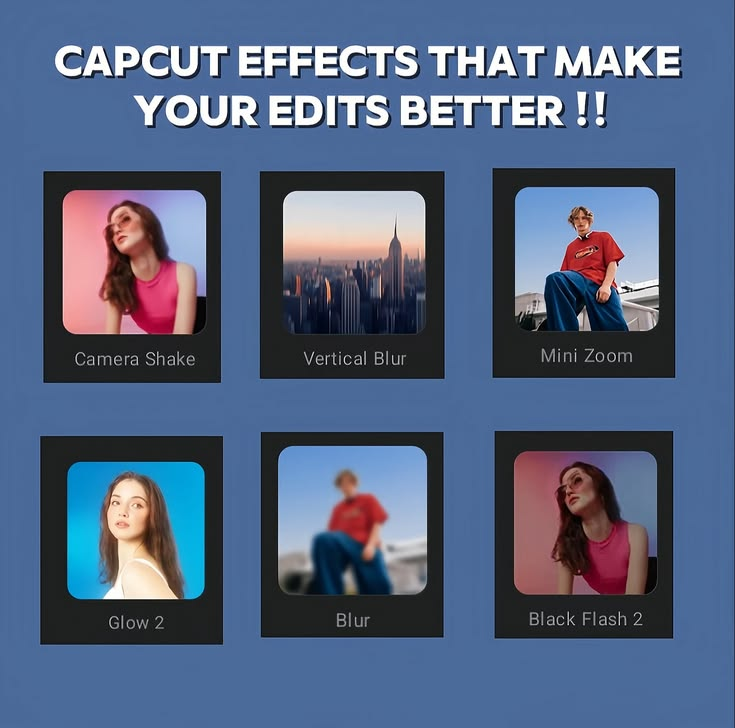
CapCut offers a range of visual effects, color filters, transitions, and creative elements. Some resources are available for free, while others require a Pro subscription.
With access to premium resources, editors can experiment with different visual styles, create more distinctive content, and give their videos a consistent appearance.
For example, a fashion creator might use advanced visual effects to produce stylish outfit videos. A travel creator could use cinematic color treatments to make landscape footage more attractive.
These resources can save time because you do not have to recreate every effect manually.
Keep in mind that not every effect or filter is exclusive to Pro. Availability can also change as CapCut updates its library.
2. More Editing Tools and Creative Resources
CapCut Pro may provide access to additional editing tools and premium resources that help users customize their videos.
Depending on the version and platform, these may include advanced adjustments, premium templates, specialized transitions, and other creative options.
For someone who edits videos frequently, having more resources available can make the editing process more flexible.
Imagine that you manage social media accounts for several businesses. Each business may need a different visual style. Having a broader selection of editing resources can make it easier to create videos that suit different brands.
However, more tools do not automatically mean better videos. Good storytelling, clear audio, thoughtful editing, and appropriate pacing remain important regardless of which version you use.
3. AI-Powered Editing Features
Artificial intelligence is becoming increasingly important in video editing, and CapCut has introduced different AI-powered tools across its products.
Depending on the current version and your subscription, available tools may help with tasks such as generating captions, improving editing workflows, creating visual elements, or assisting with other repetitive editing activities.
These tools can be useful when you need to produce content quickly.
For example, if you create educational videos, automatic captioning can help you add subtitles without manually typing every sentence. If you regularly edit talking-head videos, tools that simplify repetitive tasks can reduce the time spent preparing each upload.
Some AI features may have usage limits, regional restrictions, or separate requirements. Therefore, do not assume that every AI feature is included in every CapCut Pro subscription.
Before upgrading, check which specific tools are available on your device and whether they meet your needs.
4. Premium Templates
Templates are one of the reasons CapCut has become popular among social media creators.
A template can provide a ready-made structure for a video, including transitions, timing, effects, and other visual elements. You simply add your own clips or photos and make the necessary adjustments.
CapCut Pro may unlock additional premium templates that are useful for particular styles of content.
For example, a creator making product promotions might use a polished template to showcase a new item. Someone creating birthday videos could use a suitable template to combine photographs, music, and transitions.
Premium templates can save time, especially when you need to produce several videos within a short period.
Still, you should check the licensing terms and availability of individual resources if you intend to use them for commercial projects.
5. More Options for Professional Content Creation
CapCut Pro can be helpful for people who want greater control over their editing workflow.
Creators producing advertisements, promotional videos, tutorials, product demonstrations, and branded social media content may benefit from additional premium resources.
For example, a small business owner might use CapCut to create promotional videos for a clothing store. Premium effects and templates could help produce a consistent visual style without hiring a professional editor for every short video.
A freelance editor may also appreciate having more creative options when working on different client projects.
However, CapCut Pro does not automatically make someone a professional video editor. The quality of the final result still depends on editing skills, creativity, footage quality, and attention to detail.
What Is the Difference Between CapCut Free and CapCut Pro?
The main difference is that CapCut Pro provides access to selected premium features and resources, while the free version covers many basic and intermediate editing needs.
Here is a simple comparison.
| Feature | CapCut Free | CapCut Pro |
|---|---|---|
| Basic video trimming and cutting | Available | Available |
| Adding text and music | Available | Available |
| Basic transitions and effects | Available | Available |
| Premium templates | Limited selection | Additional access, depending on availability |
| Premium filters and effects | Limited selection | Additional access, depending on availability |
| AI-powered tools | Some features available | Additional features or usage may be included |
| Advanced creative resources | Varies by tool | Broader access to selected resources |
| Best suited for | Casual editors and beginners | Frequent editors and creators needing premium tools |
The exact differences can change over time. Some features may be introduced into the free version, while others may become paid or require separate credits.
It is also important to understand that a Pro subscription does not necessarily unlock every feature on every platform. The mobile app, desktop application, and web editor may offer different tools.
If a particular feature is the main reason you want to subscribe, verify that it is included in the version you plan to use.
Is CapCut Pro Worth Paying For?
The honest answer is that CapCut Pro can be worth paying for, but it depends on how often you edit videos and what you expect from the application.
For some people, the subscription can save time and provide useful creative resources. For others, it may be an unnecessary expense.
Let’s examine who is most likely to benefit.
CapCut Pro Is Worth It for Frequent Content Creators
If you publish videos regularly, CapCut Pro may be a worthwhile investment.
For example, someone who creates multiple TikTok videos, Instagram Reels, or YouTube Shorts every week may benefit from premium templates, effects, and other tools that help speed up production.
Instead of spending extra time trying to recreate a particular effect, you may be able to use an existing resource and focus on improving the content itself.
Over time, these small improvements in efficiency can make a noticeable difference.
This is especially useful if video creation is part of your business or a serious content creation strategy.
It Can Be Useful for Freelance Video Editors
Freelance editors often work with different clients who have different expectations.
One client might want simple promotional videos, while another may prefer energetic edits with modern transitions and attractive text effects.
CapCut Pro can offer additional creative options that help editors adapt to different projects.
If premium resources reduce editing time or help you deliver work that clients value, the subscription may justify its cost.
However, you should calculate whether the subscription makes sense for your actual workload. If you only edit a few simple videos each month, the free version may be sufficient.
It May Help Small Businesses
Small businesses often need affordable ways to promote their products and services online.
Hiring a professional video editor for every social media post may not fit every business budget. CapCut provides tools that business owners can use to produce content themselves.
CapCut Pro may provide extra resources for creating product demonstrations, promotional clips, advertisements, and branded content.
For example, a small bakery could use the application to create videos showing how cakes are decorated. A clothing store could produce short videos highlighting new arrivals.
The important consideration is whether the premium tools help you create better content or save enough time to justify the subscription.
You should also confirm that any templates, music, fonts, and other resources you use are permitted for your intended commercial purpose.
It May Not Be Necessary for Beginners
If you are just learning video editing, you probably do not need to pay for CapCut Pro immediately.
The free version provides a useful environment for learning essential skills such as trimming footage, arranging clips, adding music, creating captions, and using transitions.
These basic skills are more important than having access to every premium effect.
A beginner can create engaging videos with simple editing techniques and good storytelling. In many cases, viewers care more about the usefulness and entertainment value of a video than the number of effects it contains.
My recommendation is to learn the free version first. Once you understand your editing needs, you can decide whether the additional Pro features would make your work easier.
Advantages of CapCut Pro
Before purchasing a subscription, it helps to understand the main benefits.
1. More creative options: Access to selected premium effects, templates, and filters can give you more ways to customize your videos.
2. Potential time savings: Templates and supported AI tools can simplify certain repetitive editing tasks.
3. Useful for regular publishing: People who produce videos frequently may find it easier to maintain a consistent workflow.
4. Helpful for business content: Additional creative resources can be useful when creating product promotions, branded videos, and advertisements.
5. Suitable for different content styles: Depending on the available tools, Pro resources can support different types of social media and promotional content.
These advantages are most meaningful when you actually use the premium features. Paying for tools that remain unused is unlikely to provide much value.
Disadvantages of CapCut Pro
Although CapCut Pro has benefits, there are a few disadvantages to consider.
1. It Requires a Paid Subscription
The biggest drawback is the additional cost.
Unlike the free version, CapCut Pro generally requires payment for continued access to its subscription benefits. Prices can vary depending on the country, platform, billing period, and current offers.
For users with limited budgets, even a relatively small recurring expense may be difficult to justify.
Always check the actual price displayed in your account before subscribing.
2. Not Every Feature Is Included
Some users assume that paying for Pro gives them unlimited access to every editing tool. That may not be the case.
Certain AI features can have limits, while some resources may require additional credits or have separate conditions.
Review the subscription details carefully so you know exactly what you are paying for.
3. Features Can Change
CapCut regularly evolves, and the availability of specific tools or premium resources may change.
A feature that is included in one version may work differently in another. Regional differences can also affect what users see in the app.
This is why you should evaluate the current offering rather than relying entirely on an old review or a video showing features from an earlier version.
4. It Does Not Guarantee Better Videos
A premium subscription cannot replace editing knowledge or creativity.
A video with poor lighting, unclear audio, confusing storytelling, and unnecessary transitions may still look unprofessional, even if it uses premium effects.
You can often achieve better results by improving your footage, writing a clearer script, choosing suitable music, and learning when to use transitions.
How Much Does CapCut Pro Cost?
There is no single price that applies to every CapCut user worldwide.
The cost can depend on your location, device, subscription duration, platform, and any promotional offers available at the time.
Some users may see monthly and annual subscription options, while the exact plans and prices may differ between the mobile app, desktop version, and website.
To find the current price, open the official CapCut application or website and look for the Pro upgrade or subscription section.
Before confirming payment, check the following:
- The subscription price and billing period.
- Whether the displayed price includes applicable taxes.
- Whether a free trial or promotional offer automatically converts to a paid subscription.
- The renewal date and cancellation terms.
- Which premium features are included in the plan.
Avoid relying on a price quoted by someone using a different country or platform. The price shown in your own account is the most relevant one for your decision.
Is CapCut Pro Safe to Use?
CapCut Pro is the official paid offering within CapCut. If you choose to subscribe, the safest approach is to use the official CapCut application or website and follow the available payment process.
Be careful with websites claiming to offer modified CapCut Pro APK files, permanently unlocked premium features, or free access to paid tools through unofficial downloads.
These files may be altered, outdated, or distributed with unwanted software. Installing an unofficial application can expose your device and personal information to unnecessary risks.
If you use CapCut on Android, download the application from a trusted official source available to you. iPhone users should use the official App Store listing, while desktop users should obtain the software through CapCut’s official website or an authorized distribution channel.
Also, remember that a subscription is not a guarantee that every editing resource is suitable for every use. Check the relevant terms, particularly if you create advertisements or commercial content.
CapCut Pro vs Other Video Editing Apps
CapCut is not the only video editing application available. Depending on your needs, you may also consider other mobile or desktop editors.
The right choice depends on the kind of videos you make, your device, your budget, and the features you need.
If you mainly create short-form social media videos, CapCut may be attractive because of its accessible interface and creative tools.
If your work involves complex projects, advanced color grading, detailed audio production, or specialized professional workflows, you may want to compare CapCut with desktop editing applications that focus on those areas.
However, switching applications is not always necessary. Learning one editor well can be more productive than constantly moving between different tools.
Before paying for any editing software, identify the specific problem you want to solve. You might need better captions, more control over audio, premium templates, or a more advanced timeline. Compare applications based on those needs instead of assuming the most expensive option is automatically the best.
How to Decide Whether You Should Upgrade to CapCut Pro
If you are still unsure, ask yourself a few simple questions.
How often do I edit videos?
If you edit every day or several times a week, premium tools may offer meaningful benefits. If you edit occasionally, the free version may be enough.
Do I regularly need premium features?
Look at the tools you actually use. If you repeatedly encounter premium resources that would improve your workflow, upgrading may make sense.
Will the subscription save me time or help me earn money?
For a freelancer or business owner, time savings can have financial value. However, do not assume that a subscription will automatically increase your earnings.
Can I comfortably afford the cost?
A video editing subscription should fit within your budget. There is little reason to pay for additional features if doing so creates financial pressure.
Have I explored the free version properly?
If you have not yet learned the basic editing tools, spend some time with the free version before deciding.
Answering these questions can help you make a practical decision rather than subscribing simply because premium features look attractive.